



HubSpot is widely used in sales and marketing. It combines CRM, marketing automation, email campaigns, and customer service tools into one platform. For some teams, that’s a perfect bundle. For others, it’s more than they need.
Many companies search for alternatives when HubSpot becomes hard to manage or too expensive at scale. Some don’t need its CRM. Others need simpler sales automation. Large platform bundles often include features unused by smaller teams, causing more confusion than value.
If you’re looking for tools focused on outreach, automation, and flexibility, this guide can help. Below, we’ll cover how to evaluate alternatives, compare top platforms, and match tools to your working style.
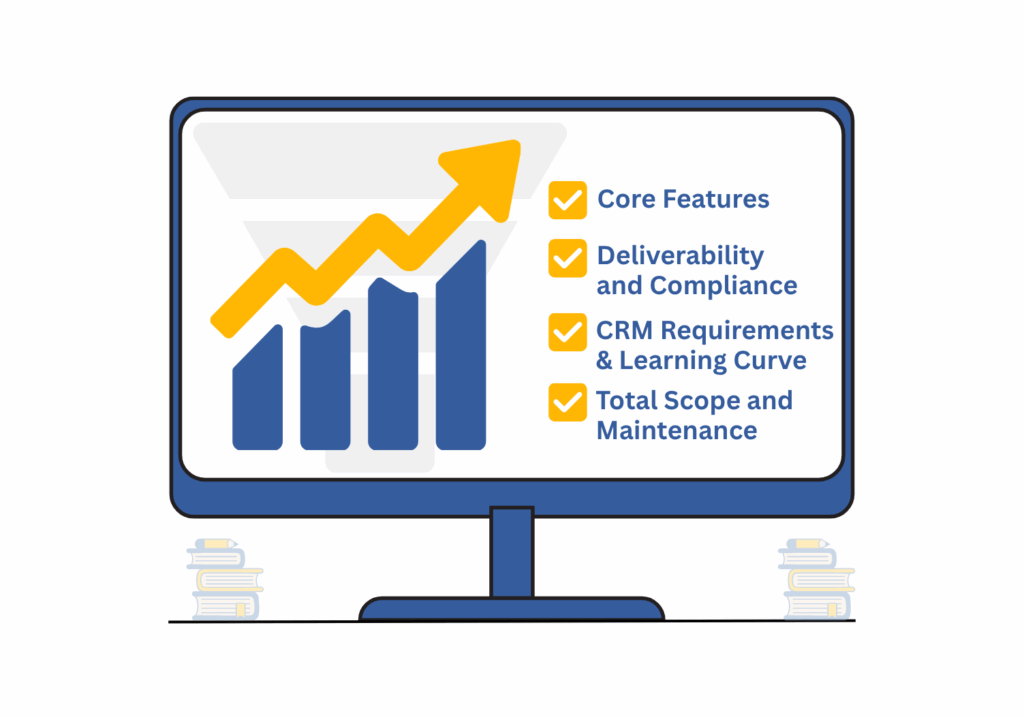
How to Compare Sales Automation Tools
If you’re replacing or supplementing HubSpot, know what matters most for your sales process. Start with these four areas:
1. Core Features
Start with the basics. Your automation platform should help your team do the following:
- Send personalized email sequences
- Automate follow-ups based on behavior (opens, clicks, replies)
- Assign tasks and manage outreach workflows
- Track conversations across inboxes
- Support lead scoring or segmentation
Many platforms offer similar tools on the surface. The differences appear in setup, clarity, and how well these functions connect. If a tool feels hard to use, your team will avoid using it. Look for a system that fits into daily work with minimal setup.
2. Deliverability and Compliance
Getting messages into inboxes is essential—especially in outbound sales. Poor deliverability leads to missed quotas and wasted effort. A good platform should give you:
- Tools to warm up new sending domains
- Status indicators for domain health and sender score
- Automatic unsubscribe and opt-out handling
- Compliance with global rules, like GDPR or CAN-SPAM
Deliverability often depends on setup. Some tools guide you through sender configuration and warn you when a domain may be flagged or blacklisted. Others leave this up to your team. If you’re running volume outreach, pick a platform with deliverability features built in.
3. CRM Requirements & Learning Curve
Some tools require their own CRM. Others are CRM-agnostic or simply integrate with what you’re already using. Ask:
- Will it work with your current CRM?
- Do you have to migrate data?
- How fast can reps begin using it?
If your team spends weeks onboarding or shifting tools around, your reps lose valuable selling time. Seek platforms that support a fast ramp-up with minimal retraining.
4. Total Scope and Maintenance
Not all sales teams need a full stack of marketing and service features. More features mean more upkeep. Consider:
- How much setup and support does each tool need?
- Can the platform grow with your team without constant rework?
- Does the tool require frequent manual tweaks or third-party add-ons?
The best fit will support your team’s natural way of working. A tool that stays out of the way but supports the right workflows tends to be more useful long-term.
9 HubSpot Alternatives Compared
Each of the following tools takes a different approach to sales automation. Some are better for B2B cold outreach, others for inbound follow-up or transactional workflows.
This comparison grid summarizes the strengths and weaknesses of the best alternatives to HubSpot.
| Tool | Strengths | Limitations | Best Fit For |
| Salesloft | Detailed workflows, strong analytics, well-suited for teams | Requires setup time, deep Salesforce tie-in | Structured sales teams with strong processes |
| Outreach | Smart tracking, task automation, CRM sync | Interface can feel heavy, best in enterprise settings | Larger organizations with outreach at scale |
| Apollo | Combines prospecting and outreach, data enrichment included | UI feels cramped, support varies | Teams are doing active list building |
| Mailshake | Straightforward email automation, connects easily to Gmail | No built-in CRM, light reporting | Small teams focused on cold email |
| Lemlist | Email warming, video and image personalization | Limited performance tracking, busy interface | Campaigns that prioritize personalization |
| ActiveCampaign | Offers automation plus light CRM, good email controls | More marketer-focused, not ideal for complex sales | SMB teams with blended marketing-sales |
| Pipedrive | Easy CRM, visual pipeline, light automation | Add-ons needed for deeper email workflows | SMB teams with blended marketing-sales |
| ZohoCRM | Wide range of tools, customization available | Slower performance, heavier setup for small teams | Price-sensitive teams needing a bundle |
| Klaviyo | Strong segmentation, tailored to e-commerce | Not built for B2B or manual sales outreach | Online retailers or product-led companies |
Introducing Retreva: A Powerful Pair with Your CRM
While not a direct HubSpot replacement, Retreva is a standout solution that pairs beautifully with your existing CRM. Instead of replacing your customer database, Retreva enhances it—serving as a virtual sales assistant that automates outreach and ensures your reps spend more time selling.
Retreva stands apart by going beyond the typical automation tools. It doesn’t rely on manual sequencing or templating. Instead, it delivers fully managed outreach campaigns based on real sales strategies—built by sales professionals for real-world conversations.
Here’s what makes Retreva a strong CRM companion:
- No templates or guesswork—Retreva creates and calibrates messaging automatically.
- Built-in outbound strategy for any industry—no campaign setup required.
- Handles both outbound and inbound responses, so reps focus only on hot leads.
- Works alongside your CRM to improve productivity without disruption.
- Has some CRM features that are enough for many small or midsize businesses without adding complexity.
For smaller teams, Retreva may be all they need. For larger ones, it’s the perfect execution layer on top of their existing CRM—automating outreach, sharpening focus, and driving more meaningful sales conversations.
See the full feature breakdown on the Retreva features page.

Which Tool Fits Your Team?
Sales teams have different workflows and goals. The best software depends on how your team sells, how technical your users are, and how much control you want over infrastructure and messaging. Below are some common situations with tools to match.
1. Small or Lean Sales Teams
Small teams often don’t have time or bandwidth for heavy admin. They need tools that launch fast, require minimal setup, and scale as needed.
- Best options: Retreva, Mailshake, Pipedrive
These tools offer enough structure to manage outreach and scale without requiring a full CRM rebuild. Teams can launch outbound in days, not weeks.
2. Franchise or Distributed Teams
Distributed sales organizations need flexibility across users, territories, or brands. They also require central oversight to maintain compliance and consistency.
- Best options: Retreva, ActiveCampaign, Zoho CRM
These tools allow message templates, branching logic, and deliverability controls across multiple brands, regions, or agents.
3. Teams Focused on Deliverability
Success with cold email or outbound sequences depends on inbox placement. Strong deliverability tools are essential to avoid spam folders and preserve sender reputation.
- Best options: Retreva, Lemlist, Apollo
These tools help ramp new domains, monitor engagement, and correct issues fast. They’re also less tied to promotional formatting and more aligned with basic email best practices.
See Retreva vs. HubSpot
HubSpot delivers a lot—but sometimes too much. For smaller teams or sales-first organizations, its packed interface and feature overload can become a hurdle. It also often locks popular features behind higher-tier pricing.
By contrast, Retreva simplifies sales execution. It automates messaging based on a proven outreach strategy—without expecting you to build sequences from scratch.
Retreva + Your CRM = a complete selling system.
For some small teams, Retreva alone may be all they need. But it also complements CRMs for companies that want execution without manual backend work.
FAQs
Do I need to use the platform’s CRM?
No. Some tools, like Retreva and Mailshake, integrate with existing CRMs or work independently. Others, like Zoho or HubSpot, expect you to store and manage contacts within their system.
Can I move off HubSpot without losing data?
Yes. Many platforms offer contact and template import. You may need to export lists, workflows, or forms manually. Some tools support API-based syncing or use tools like Zapier to bridge systems.
How do I know if deliverability is strong before I commit?
Look for platforms with built-in warmup, bounce monitoring, and sending domain health tools. You can also run a trial on a subdomain and monitor inbox placement, reply rates, and engagement over a small sample list before migrating fully.
Want to See How Retreva Works?
Retreva automates everything from messaging logic to reply handling—so your reps can focus on actual conversations instead of scheduling sequences.
Book a walkthrough to see how Retreva fits with your sales motion.